



Who doesn’t love the word FREE?
Running promotions that actually excite customers isn’t about complicated discounts; it’s about simple, irresistible offers. One powerful strategy is offering special discounts that encourage shoppers to add more items to their cart, for example, making the cheapest item in their cart completely free.
This deal feels generous, easy to understand, and encourages customers to add more items to their cart, a win-win for both store owners and shoppers.
Thanks to the versatile YayPricing plugin, implementing this promotion has never been easier or more affordable. In this step-by-step guide, we’ll walk you through how to make WooCommerce cheapest cart item become free using YayPricing, helping you attract more buyers, increase average order value, and take your WooCommerce store to the next level without breaking the bank.
Let’s dive in!
Understanding the Promotion: “The Cheapest Cart Item Becomes Free”
Before we touch any settings, let’s clear up a very common question.
When store owners say “the cheapest item is free”, it can mean two different things – and choosing the right one matters. As a WooCommerce store owner, maybe you should understand these options to optimize your promotion campaign for better revenue.
Option 1: WooCommerce Cheapest Cart Item Becomes FREE
With this option, shopping feels even better!
This offer automatically applies when a customer adds multiple products to their cart. Once the conditions are met, the lowest-priced item in the WooCommerce cart is discounted to 100%, making it completely free.
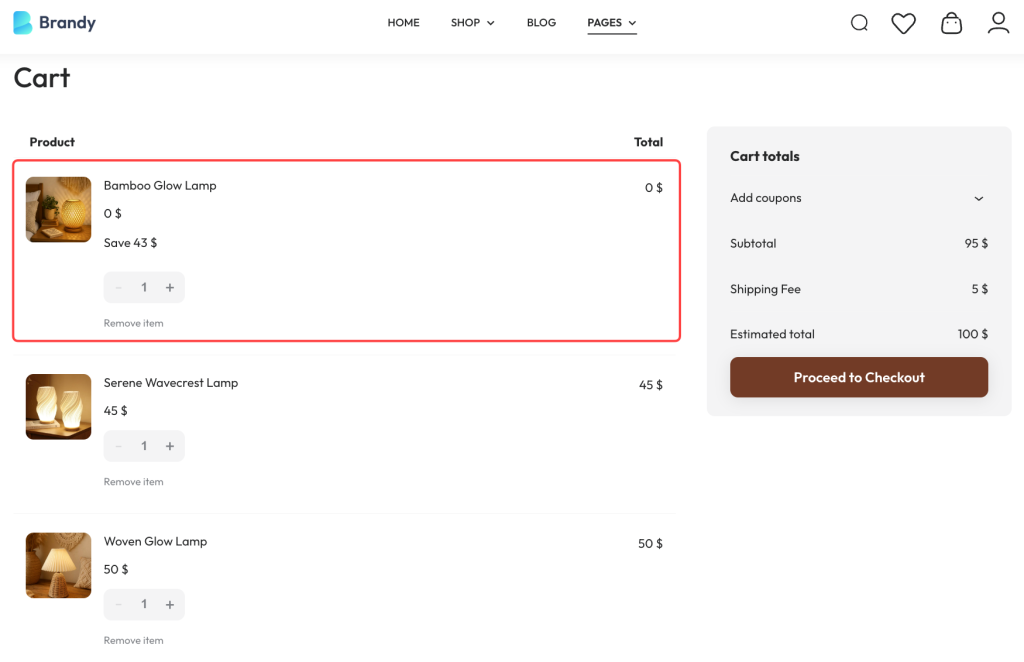
For example, a customer adds 3 products to the cart: Woven Glow Lamp – $50, Bamboo Glow Lamp – $43, Serene Wavecrest Lamp – $45. The lowest-priced item in the cart becomes free.
This option is perfect for promotions like Buy More, Get One Free, bundles, or special deals that make customers happy and encourage them to add a little more to their cart.
Option 2: Free Gifts for The Cheapest Item in Cart
This option adds a little extra joy to shopping!
When customers add products to their WooCommerce cart, they don’t lose any items; instead, they get a free gift as a bonus.
For example, customers shop as usual and add products to their cart. WooCommerce will look at all the items in the cart and find the cheapest one. Based on that item, a free gift is automatically added to the cart. The gift shows up at checkout with a price of $0.
This option is perfect for free gift campaigns, seasonal offers, or loyalty rewards where you want to delight customers with an extra product – without changing the price of the items in their cart.
Meet YayPricing – The Smart Discount Plugin for WooCommerce
YayPricing is a powerful WooCommerce dynamic pricing and discount plugin that lets you create advanced promotions with just a few clicks. You don’t need to be a pricing expert or deal with complicated rules; just choose what kind of offer you want, and YayPricing takes care of the rest. Whether you want to give away the cheapest item in the cart, offer a discount campaign, or run creative coupon deals, YayPricing makes it simple, automatic, and customer-friendly.
Why users love YayPricing:
- Clear, easy-to-follow settings anyone can use
- Promotions apply automatically in the background
- Flexible rules to match your sales goals
- Built specifically for WooCommerce, so everything works smoothly
Whether you’re running a special sale, rewarding loyal customers, or just want to boost your average order value, YayPricing helps you create happy shopping moments for you and your customers.
Step-by-Step: Make the WooCommerce Cheapest Cart Item Become Free with YayPricing
#1 Install & Activate YayPricing
First things first, go to your WordPress dashboard, and you can find the YayPricing free version from the WordPress repository.
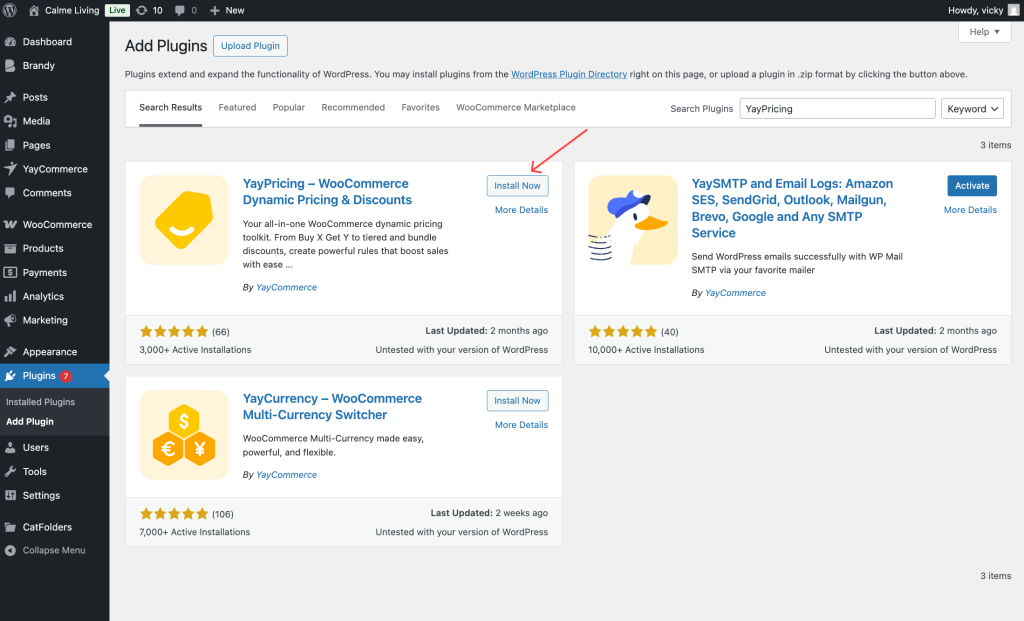
Once activated, you’ll see YayPricing in your dashboard menu.
#2 Create a New “BUY X GET Y” Pricing Rule
Now, it’s time to set up your deal.
In your WordPress dashboard, head over to YayPricing to create a new offer.
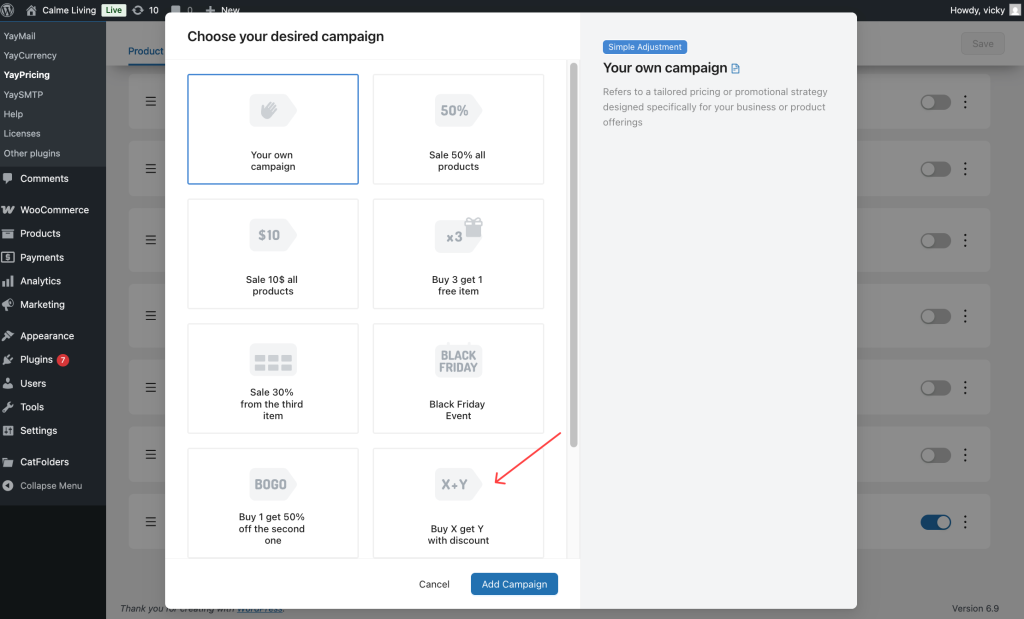
YayPricing offers a variety of ready-to-use pricing campaigns, including BOGO, Buy X Get Y, percentage discounts, fixed amounts, or bulk discounts based on product quantity, user roles, or cart conditions. These options make it easy to customize your pricing strategies and create appealing deals for your customers.
In this case, we’ll select the Buy X Get Y rule to set up.
#3 Configure Pricing Rule – WooCommerce Cheapest Cart Item Becomes Free
In YayPricing dashboard, we’ll create a campaign like: “Buy 3 Lamp Items, Cheapest One Free”. Name the pricing rule and start to set it up.
To set the Buy X item, we’ll leave the quantity as three and apply it to the “Modern Lamp” categories.
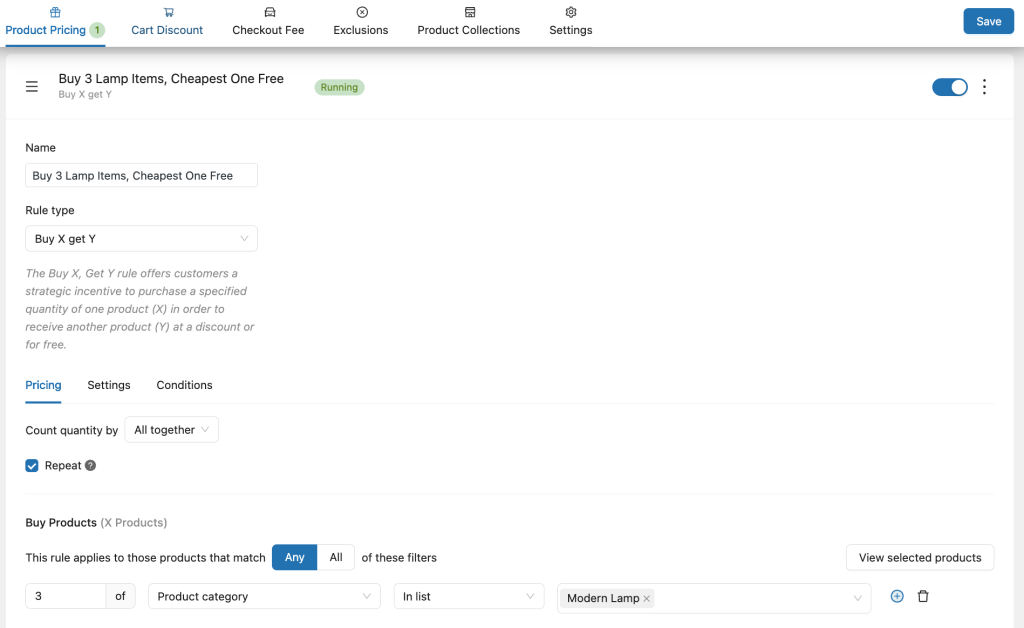
The fun part here! To make the WooCommerce cheapest cart item become free, we move to the Get Y section. Let’s see the image below as we set!
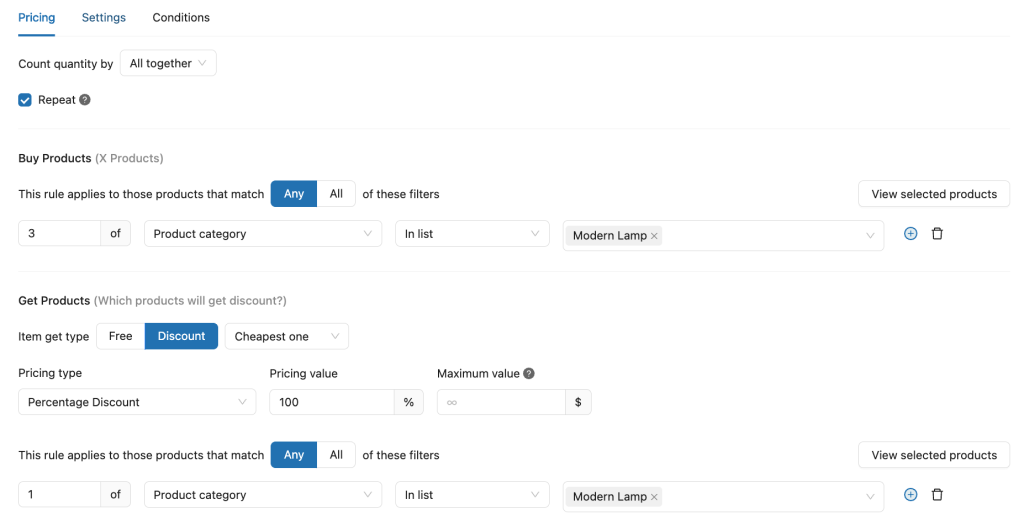
Note that you have to select the type of this rule as Discount.
Click to save it. Now YayPricing will calculate which item in the cart has the lowest price, apply a 100% discount to it, and show it clearly in the cart.
Perform a test purchase on your site by adding multiple items to the cart to ensure the cheapest item is automatically discounted to free.
Tips for Promoting Your New Offer to Customers
Once you’ve successfully set up your WooCommerce store to offer the cheapest cart item for free with YayPricing, the next crucial step is to promote this exciting deal to your customers. Effective promotion ensures your target audience is aware of the offer, driving more traffic to your store and encouraging higher average cart value.
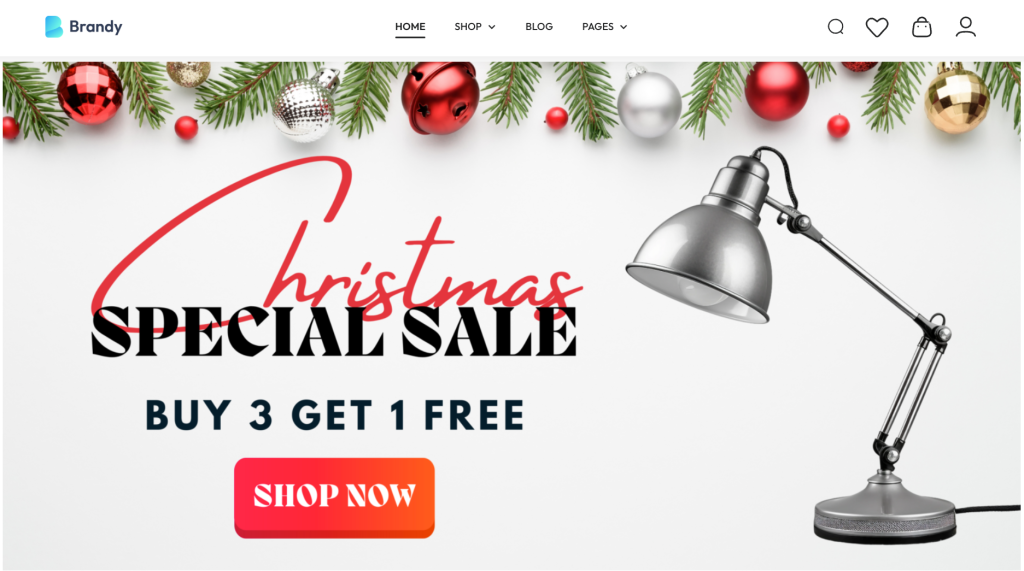
Start by prominently announcing the promotion on your website’s homepage and product pages, using eye-catching banners or pop-ups that clearly explain the offer. With the Brandy theme, we can design a stunning banner to display on your WooCommerce store.
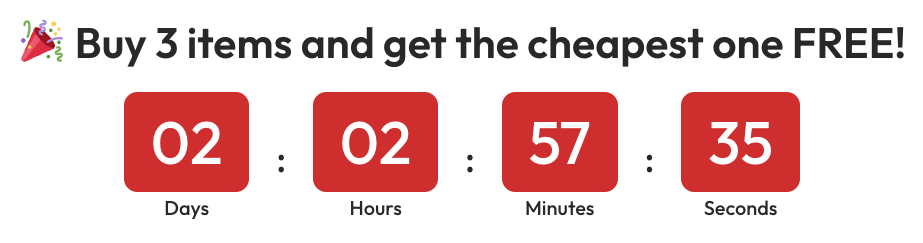
Or you can add a countdown timer to increase the psychological effect of FOMO on customers.
Small changes can make a big difference.
Frequently Asked Questions (FAQs)
1. Does YayPricing automatically choose the cheapest item in the cart?
Absolutely. YayPricing automatically scans all eligible items in the cart and applies the 100% discount to the lowest-priced product. You don’t need to manually define which product is free; everything is handled for you.
2. What happens if customers add more than 3 items to the cart?
That depends on how you configure your rule. You can: Allow the promotion to apply once per order, or let it repeat (for example: buy 6 items → get 2 cheapest items free)
YayPricing gives you the flexibility to choose what works best for your store strategy.
3. Will customers clearly see which item is free?
Yes, and this is one of the best parts. YayPricing shows the discount directly in the cart and checkout, so customers can clearly see:
– Which product is discounted
– The amount saved
– That the item is free because of the promotion
This transparency builds trust and confidence during checkout.
Final Thoughts
If you’re running a WooCommerce store, you already know this truth: Customers love simple deals – especially ones they can understand in just a few seconds.
The “Buy three items, get the cheapest one FREE” promotion is powerful because it doesn’t require explanation, fine print, or math. Shoppers instantly see the value, feel rewarded, and are naturally encouraged to add one more item to their cart. That small nudge often makes a big difference in your average order value.
What’s even better?
You don’t need complicated setups, custom code, or multiple plugins to make it work. With YayPricing, you can do it all in one place.
You might be surprised how often shoppers happily add that third item just to unlock the free one. Over time, you can fine-tune the rule, combine it with other offers, or use it during special events like sales, holidays, or new product launches.
At the end of the day, successful WooCommerce stores aren’t built on complicated discounts, they’re built on clear value, smart incentives, and a great shopping experience.
And with YayPricing, creating those experiences is not only possible, but it’s also genuinely easy.
If you’re more of a visual learner, or you’d like to see real setups instead of just reading about them, we’ve got you covered. We regularly share step-by-step YayPricing tutorial videos on our YouTube channel, you can check it.
Wishing you lots of happy customers, fuller carts, and growing sales.

Leave a Reply