

E-commerce is booming in 2026. With global online sales expected to cross a significant margin, more businesses than ever are building and scaling their stores on WordPress and WooCommerce. But with this rapid growth comes higher competition, and customers now expect fast, secure, and seamless shopping experiences.
That’s why choosing the right WordPress plugins matters. The right tools can speed up your site, automate repetitive tasks, improve marketing results, enhance security, and create a smoother experience for your shoppers.
In this list, we’ve rounded up the essential plugins every e-commerce store should consider in 2026, covering performance, automation, marketing, UX, analytics, and security, to help your store grow smarter and faster.
Must-Have WordPress Plugins for E-commerce Business Success in 2026
1. WooCommerce PDF Invoices, Packing Slips, and Credit Notes
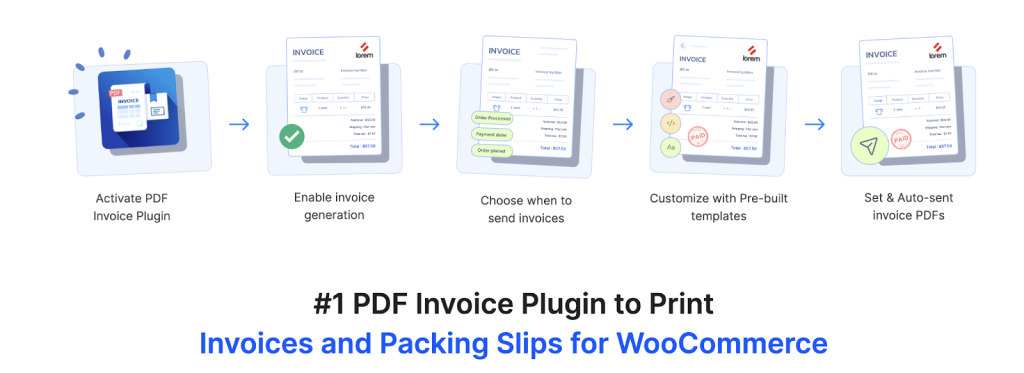
In 2026, e-commerce automation isn’t just a convenience; it’s a necessity. With order volumes rising and customer expectations at an all-time high, store owners can no longer rely on manual processes to handle order documentation. Generating invoices, packing slips, credit notes, and shipping labels manually slows down fulfillment, increases errors, and creates inconsistencies in branding and compliance.
The PDF Invoices & Packing Slips for WooCommerce plugin solves this by fully automating document generation for your WooCommerce store. It automatically creates professional, ready-to-print PDF invoices and packing slips as soon as an order is placed or its status changes, ensuring every customer gets accurate documentation without any manual work. You can also auto-attach these documents to WooCommerce order emails, making the post-purchase experience seamless and reliable.
What makes this invoice generation plugin especially valuable is its flexibility. You get customizable templates where you can add your logo, set up custom invoice numbering, include tax fields like VAT or GST, and tailor documents to match your brand identity. For stores dealing with high order volumes, the bulk print and download options save hours of daily operational time. Plus, with multilingual and international tax support, it’s ideal for stores selling globally in 2026.
2. WooCommerce Stripe Payment Gateway

In 2026, offering a seamless, flexible, and secure checkout process is critical to converting visitors into buyers, and the WooCommerce Stripe Payment Gateway plugin is one of the most powerful ways to deliver that. As the official payment-gateway integration by WooCommerce and Stripe, this plugin enables you to accept a wide variety of payment methods: major credit and debit cards, digital wallets (like Apple Pay and Google Pay), “Buy Now, Pay Later” options (such as Klarna, Afterpay, Affirm), and many region-specific/local payment systems.
Because it supports 135+ currencies and multiple payment methods out of the box, the plugin makes it easier for stores to reach a global audience. The checkout experience is optimized for conversions: from responsive design across devices to smooth express-checkout flows, it helps reduce cart abandonment and increase revenue.
Security is another major plus. Stripe handles payment data securely, with PCI-DSS compliance, tokenization, and built-in fraud protection (via Stripe Radar), giving both store owners and customers peace of mind. And for subscription stores or recurring payments, the plugin works seamlessly with subscription extensions, making it easier to manage renewals and customer billing.
3. WooCommerce Shipping labels
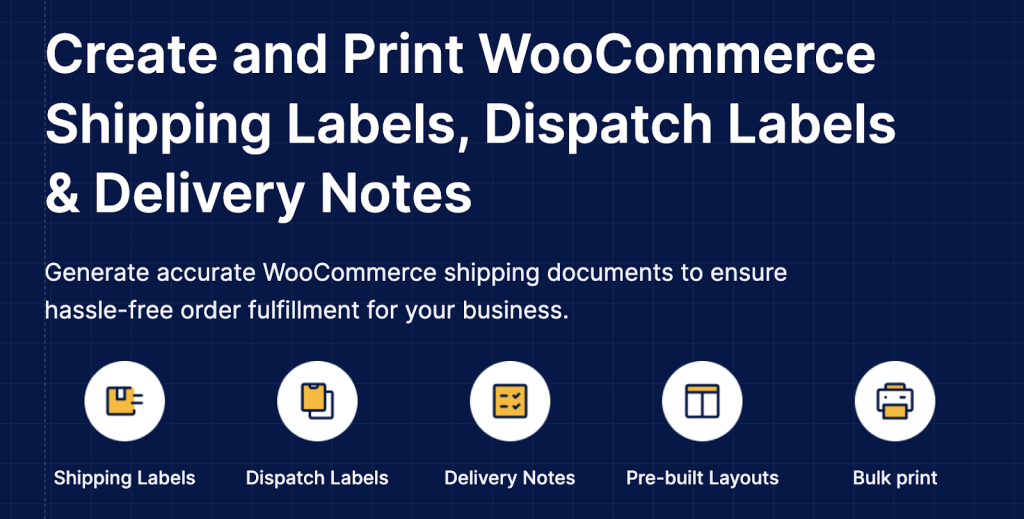
The WooCommerce Shipping Labels plugin helps store owners manage shipping documents directly from the WordPress dashboard. It allows you to generate shipping labels, dispatch notes, and delivery slips individually or in bulk, making order fulfillment faster and more organized.
The plugin includes ready-made, customizable layouts where you can add return addresses, product details, tracking numbers, and other order information. You can modify the structure to match your store’s format and save custom templates for reuse.
Dispatch labels and delivery notes support order and product meta fields and bulk printing options, the plugin reduces manual work and ensures accurate, efficient packing and shipping.
4. Rank Math SEO

In 2026, simply building a beautiful ecommerce business isn’t enough; you need to ensure potential customers can actually find it. Rank Math SEO helps you do just that by bringing powerful search engine optimization tools directly into your WordPress dashboard. With its easy-to-follow setup wizard, even beginners can quickly configure SEO settings.
What makes Rank Math stand out is its all-in-one approach. It covers on-page SEO (titles, meta descriptions, content analysis), technical SEO (XML sitemaps, schema markup, redirection management, 404 monitoring), and advanced features like built-in integration with Google Search Console and Google Analytics, which together help you track rankings and analytics without leaving WordPress.
For e-commerce stores specifically, Rank Math’s WooCommerce support ensures your products are optimized for search. It automatically adds structured data (product schema), lets you manage SEO metadata for product pages, and helps improve product visibility in search results, a big plus for any online store looking to drive organic traffic.
5. Product Import Export Plugin for WooCommerce
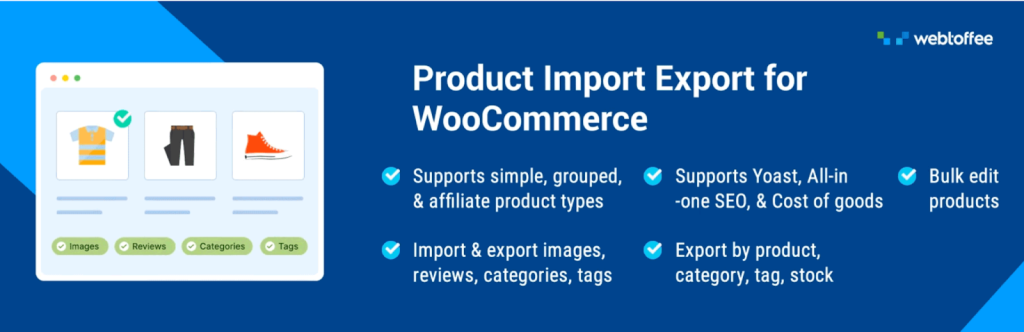
As WooCommerce stores grow in 2026, managing large inventories manually becomes a serious time drain. WebToffee’s Product Import Export for WooCommerce plugin addresses this head-on by giving store owners a powerful, flexible, and highly automated way to manage their product data. With it, you can bulk-import or export hundreds or thousands of products at once, including all product types (simple, variable, grouped, affiliate/external, subscription) along with categories, images, custom attributes, metadata, and more.
One of the standout features is support for multiple file formats – CSV, XML, Excel, TSV – giving you flexibility with product feeds, supplier files, or external data sources. Additionally, the plugin offers advanced filtering and column-mapping options. That means you can precisely control which products to import or export (by category, tag, SKU, stock status, custom fields, etc.), and map fields from your data file to WooCommerce fields, even for custom metadata.
For stores that need regular updates from suppliers, dropshipping partners, or external inventory systems, automation becomes essential. This import export plugin lets you schedule imports and exports via its built-in scheduler (Cron or FTP/SFTP), so your product catalog stays in sync automatically without manual intervention.It also supports importing/exporting related data, such as product reviews, and offers bulk-update options, letting you adjust prices, stock levels, or attributes with simple formulas. This makes it ideal for migrations, routine catalog management, and seasonal updates.
6. MonsterInsights
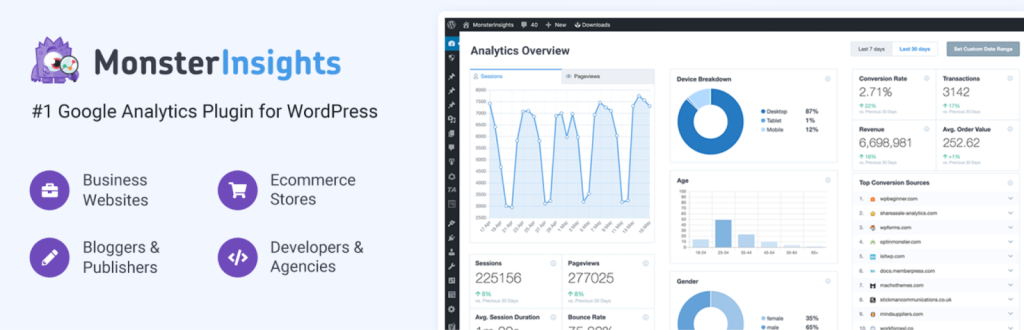
Running a successful ecommerce store is about more than just having great products; it’s about understanding how visitors behave, what they buy, and how they find your store. MonsterInsights brings this power directly into your WooCommerce/WordPress site, turning raw traffic into actionable business intelligence. Once connected, it tracks key data such as visitor sources, product performance, conversions, and user behavior, so you can see which marketing efforts pay off and where customers drop off.
For store owners, this means you can monitor sales trends, spot your top-selling products, track abandoned carts or checkout drop-offs, and measure the ROI of your ads and campaigns. With those insights, you can make data-driven decisions: tweak product pricing, refine marketing strategies, improve user experience, or optimize site navigation.
Moreover, MonsterInsights simplifies the setup process. Instead of manually embedding tracking code, the plugin lets you connect your store to your analytics account with just a few clicks, making it much easier, especially for non-technical users.
7. WooCommerce Product Recommendations
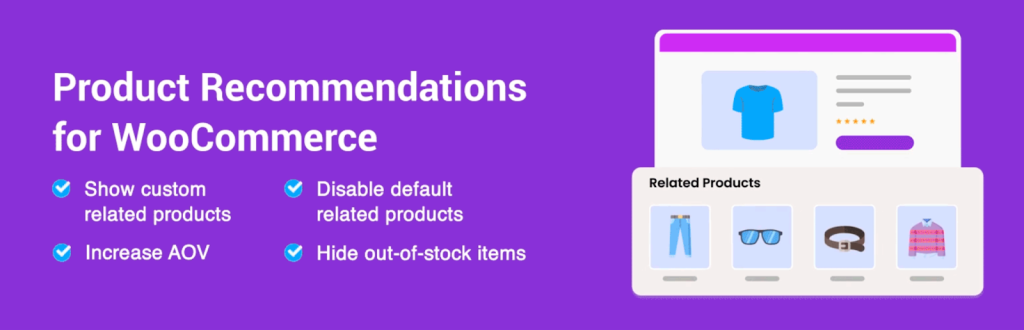
In 2026, ecommerce isn’t just about what you list; it’s about how you present and suggest products to shoppers. With so many stores competing for attention, guiding customers with smart upsells, cross-sells, and product recommendations can make a huge difference in conversions and average order value (AOV). That’s where WebToffee WooCommerce Product Recommendations comes in.
This plugin turns your store into a recommendation engine: it can automatically generate and display upsells, cross-sells, best-sellers, frequently bought together items, new arrivals, recently viewed products, top-rated items, and more using built-in templates or completely custom rules. You decide what to recommend, where to show recommendations (shop page, product pages, cart, checkout, even post-purchase pages), and under what conditions (by category, price, stock status, user role, etc.)
You also get flexibility in how suggestions are shown: choose between a clean grid or an engaging slider layout, pick how many items to display, hide out-of-stock products, and style recommendation widgets to match your store theme.
Beyond just showing suggestions, this product recommendations plugin helps you drive strategic growth: it nudges customers toward higher-value or complementary products, increases average cart size, and improves product discovery.
8. Customer Reviews for WooCommerce

Trust and credibility are among the most important factors influencing a buyer’s decision, and social proof, in the form of customer reviews, plays a huge role. Customer Reviews for WooCommerce helps you collect and showcase genuine feedback from your customers, turning satisfied buyers into powerful promoters for your store.
With this plugin, you can automate review-request emails to customers after purchase, encouraging them to leave reviews without manual follow-up. Reviews can include not just star ratings and text, but also images (and in some cases video), which adds authenticity and helps potential buyers get a realistic sense of your products.
The plugin also enhances the standard review system by offering features such as filtering and sorting reviews, voting (helpful/unhelpful), and even a Q&A section on product pages where prospective customers can ask questions. For store owners, all reviews remain manageable via a central dashboard, and you get control over moderation, import/export options, and optional verified-purchase badges to ensure authenticity.
9. Smart Coupons for WooCommerce Coupons Plugin
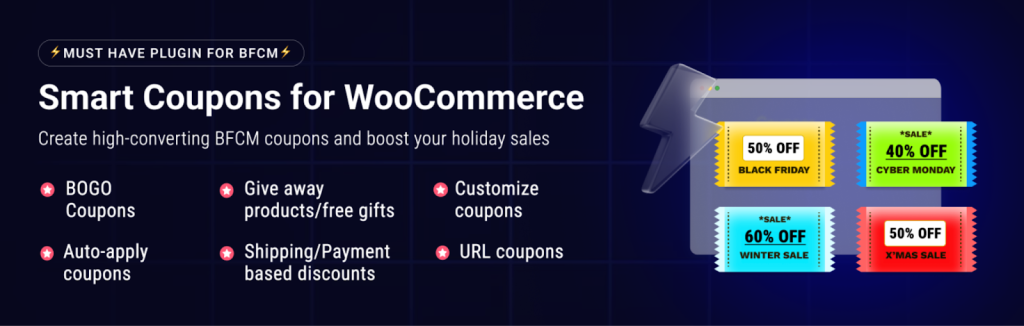
Savvy store owners need flexible, automated tools to attract, retain, and convert customers. WebToffee Smart Coupons for WooCommerce elevates the default discount system into a powerful marketing engine.
With this plugin, you can create advanced coupon types and promotional offers: fixed-price or percentage discounts, Buy One Get One (BOGO) deals, bulk or quantity-based discounts, gift cards and store credits, and even coupon-based giveaways. It supports conditions and usage restrictions, e.g. coupon only for certain products or categories, specific payment/shipping methods, user roles, or even country/region, giving you precise control over how and when discounts apply. One of its strong advantages is automation and ease-of-use: coupons can be auto-applied when criteria are met, eliminating the need for customers to enter codes. You can also bulk-generate unique coupon codes, schedule coupon validity (start and end dates), and set up special offers for sign-ups, first-time buyers, or cart abandonment, making this coupons generator plugin a versatile tool for both regular promotions and strategic campaigns.
Beyond attracting customers, Smart Coupons helps foster loyalty and repeat purchases via redeemable store credits or gift voucher coupons.
10. Fluid Checkout for WooCommerce

A smooth checkout process can make or break a sale. Fluid Checkout replaces the default checkout page in WooCommerce with a clean, optimized, and user-friendly experience, greatly reducing friction when customers try to complete purchases.
With Fluid Checkout, you can choose a multi-step or one-step checkout layout that adapts to mobile and desktop screens, making it simple for customers to enter shipping, billing, and payment details in a logical flow. Optional fields are hidden by default, coupon codes are tucked away in expandable sections (so they don’t distract), and checkout fields are validated instantly to avoid post-submit errors, all helping reduce cart abandonment.
For returning customers, the plugin can remember previously entered data and let them log in directly from checkout, streamlining repeat purchases. You can also add trust symbols, badges, or accepted payment logos on the checkout page, helping reassure customers and build confidence before they pay.
11. WooCommerce Request a Quote
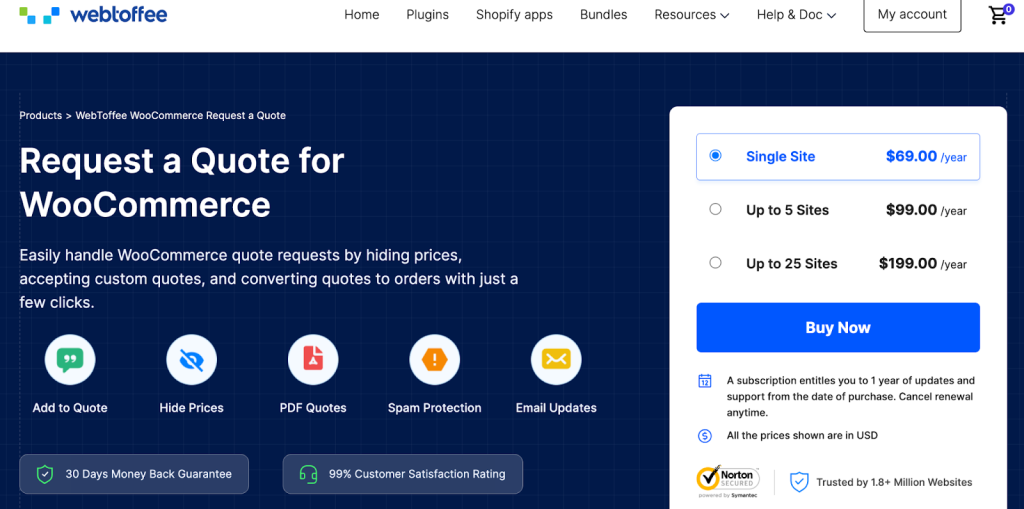
Many ecommerce business are no longer just selling fixed-price retail products; they’re also handling custom orders, bulk purchases, or B2B clients who need tailored pricing. That’s where WebToffee’s Request a Quote plugin shines.
With this plugin, you can replace the “Add to Cart” button with an “Add to Quote” button, allowing customers to request a quote instead of making a direct purchase. Prices can be hidden or displayed based on your preferences, and you can even let customers submit their own preferred price, quantity requirements, or special requests, perfect for custom products or bulk orders.
As a store owner, you get full control over every stage of the quoting process: approve, decline, or modify quote requests; negotiate prices; send personalized quotes (even as PDFs); and convert accepted quotes into regular orders, all from within your WordPress dashboard.
12. YITH WooCommerce Wishlist
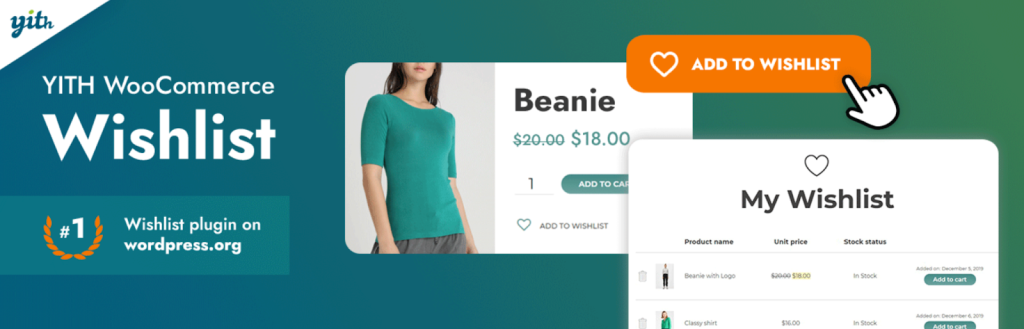
Customers often browse many products before making a purchase and sometimes they leave without buying. YITH Wishlist gives them a way to save their favorite items for later, making it much easier for them to revisit and buy when they’re ready.
With this plugin, users can create one or more wishlists directly from product or shop pages, even saving specific product variations (like size or color).They can also share these wishlists via social media or direct links, making your store visible to their friends or family and driving potential referrals.
For store owners, that means improved engagement and better chances of conversions: bypassing “just browsing” behavior and turning interest into future sales. Wishlists also offer valuable data about what customers like helping you tailor marketing or run targeted promotions.
13. GDPR Cookie Consent Plugin (CCPA Ready)

In 2026, with global privacy laws tightening and more visitors conscious about data privacy, ensuring your store respects user consent isn’t optional, it’s essential. WebToffee’s GDPR Cookie Consent Plugin helps you meet compliance requirements by displaying a full cookie-consent banner (with accept/reject options) before any non-essential cookies are loaded, helping you align with regulations like GDPR, CCPA, and similar data-protection laws worldwide.
Beyond just showing a banner, the GDPR plugin automatically blocks third-party cookies and scripts until the visitor gives consent, giving site owners control over analytics, tracking, advertising, and performance scripts based on user permissions.It also supports advanced privacy tools like Google Consent Mode v2 and Microsoft Clarity Consent Mode, making it easier to use analytics and ads while staying compliant.
For store owners, that means you not only protect your business from potential legal issues, you also build trust with customers, showing you respect their privacy. The plugin even includes a built-in cookie-policy generator, cookie-scanner to detect all cookies on your site, and a log to record visitor consent, handy for audits or data-protection compliance.
14. Popup Maker

Grabbing visitor attention and turning traffic into leads or sales is more important than ever and Popup Maker gives you the flexibility to do exactly that. With this plugin, you can design and deploy popups, modals, overlays and banners (email-opt in, newsletter sign-ups, promotional offers, exit-intent, discount coupons, etc.) right from your WordPress dashboard.
Popup Maker lets you control exactly when and to whom a popup appears. You can trigger popups on page load, on click, on scroll, or even when a visitor attempts to leave the site (exit-intent), making it ideal for catching hesitant buyers before they bounce.
The plugin is also highly customizable: you can use built-in templates or design your own popups, control appearance (size, position, animation), set smart display rules (cookie-based frequency, device-based targeting, etc.), and even integrate opt-in forms or email subscription forms.
15. WooCommerce Product Feed Plugin
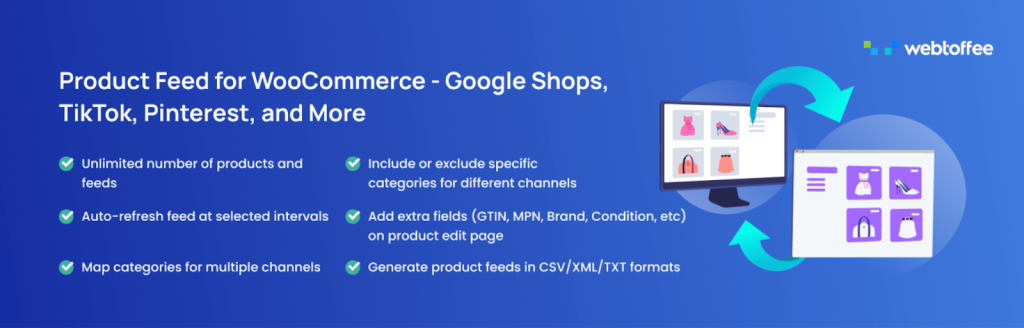
Reaching customers beyond your store’s homepage is more important than ever. With shoppers browsing on social media, marketplaces, and search engines, your products need to be where the audience is. That’s where the WebToffee WooCommerce Product Feed plugin becomes essential. The plugin helps you generate optimized product feeds and sync your WooCommerce catalog with 20+ major sales channels, including Google Shopping, Facebook/Instagram Shops, TikTok, Pinterest, Bing, and many more.
What makes this feed generator plugin especially powerful is its flexibility and automation. You can create unlimited product feeds, support an unlimited number of products (ideal for large stores), and apply advanced filters or conditions, for example, include only certain categories, exclude out-of-stock items, or target feeds by price range or attributes.It also supports attribute and category mapping to match the requirements of different marketplaces, and allows you to add additional product data fields (like GTIN, MPN, brand, etc.) that many marketplaces require for accurate listings.
Automation is a big highlight: once setup is done, the plugin can automatically refresh feeds at scheduled intervals using Cron jobs, ensuring your listings always reflect the latest prices, stock status, and product details. Also, whether you’re targeting local or global customers, the plugin supports multi-currency and multilingual stores, making it a solid choice for international selling.
16. WPForms
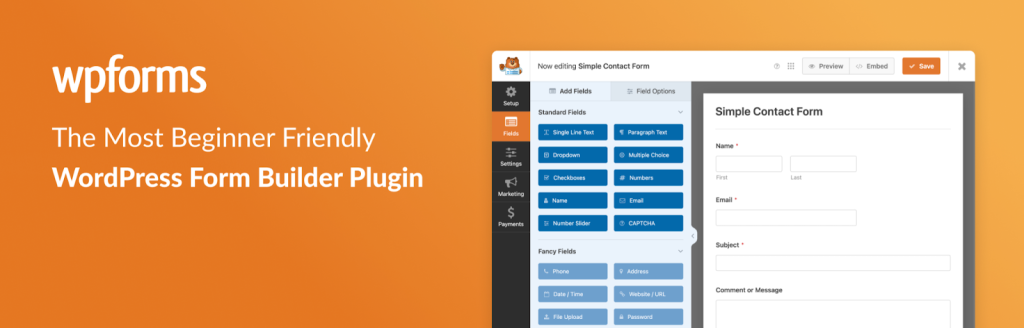
Every ecommerce store needs a simple, reliable way for customers to contact you, whether for questions, feedback, custom orders, or subscription signups. WPForms offers a beginner-friendly drag-and-drop form builder that lets you create contact forms, newsletter signups, feedback forms, and basic order/payment forms in minutes, without any coding.
With pre-built templates and a fully responsive design, forms created with WPForms Lite look great on desktop and mobile, ensuring a smooth experience for shoppers across devices. For store owners, that means easier lead capture, faster customer communication, and a professional way to manage enquiries or custom requests.
17. WooCommerce Marketing Automation App

The eCommerce Marketing Automation app helps store owners connect with shoppers through timely emails and on-site interactions. It brings email campaigns, popups, and signup tools into one platform, guiding visitors from their first visit to purchase and beyond.
This WooCommerce email automation app makes it easy to send welcome emails, follow-ups, cart abandonment reminders, and post-purchase messages using ready-made templates that can be customized to match your brand.
Beyond email, it helps capture leads with forms and targeted popups, re-engage inactive customers with incentives, and track campaign performance – supporting higher conversions and long-term customer relationships.
18. LiteSpeed Cache

Fast page load times are non-negotiable for e-commerce stores. Slow websites lose customers, hurt conversions, and negatively impact SEO. LiteSpeed Cache helps solve these challenges by delivering powerful server-level caching and performance optimization tools that dramatically improve site speed. It includes image and asset optimization, lazy loading, CSS/JS minification, and support for modern formats like WebP and AVIF.
With built-in CDN integration and global delivery options, your store loads quickly for customers worldwide. The plugin is fully compatible with WooCommerce, ensuring dynamic pages like the cart and checkout remain functional while still benefiting from caching. Ultimately, LiteSpeed Cache boosts user experience, improves Core Web Vitals, and enhances search visibility, making it an essential performance plugin for any WooCommerce store looking to scale in 2026.
19. Accessibility Tool Kit

Accessibility Tool Kit helps transform any WordPress/WooCommerce site into a more accessible and user-friendly platform. It works behind the scenes to automatically detect and fix many common accessibility issues, from missing form labels and poor heading structure to keyboard-navigation gaps and lack of ARIA attributes. This ensures that visually impaired users or those relying on screen readers can navigate your store more easily.
Beyond technical fixes, the plugin also improves usability for all visitors: enhancing readability, ensuring accessible forms and navigation, and enabling better compliance with international standards such as WCAG 2.1, Americans with Disabilities Act (ADA), Section 508, and the European Accessibility Act (EAA).
There is also a free version of Accessibility Checker Chrome Extension that helps devs and testers quickly to easily evaluate webpages for WCAG compliance. It detects common accessibility issues such as missing alt text, improper heading structure, and insufficient contrast, while enabling real-time element inspection, alt text verification, keyboard focus visualization, and testing across desktop and mobile experiences.
Conclusion
As ecommerce business continues to grow rapidly in 2026, the right set of WordPress plugins can make all the difference in how smoothly your store runs and how effectively it scales. From improving performance and security to automating operations, enhancing marketing, optimizing checkout, and boosting customer experience, each plugin in this list plays a valuable role in helping your store stay competitive.
No two stores are exactly alike, so the best approach is to choose the tools that align with your business goals, whether that’s faster growth, better conversions, stronger compliance, or more efficient management. By leveraging these essential plugins, you’re not just adding features; you’re building a smarter, more resilient, and more profitable ecommerce ecosystem.
With the right technology powering your WooCommerce store, you’ll be better prepared to navigate the evolving demands of online shoppers and position your brand for long-term success in 2026 and beyond.