


Are you looking for the best WhatsApp chat plugins for WordPress? In this post, we will show you the best options for 2026.
WhatsApp chat plugins for WordPress let you add a click-to-chat button or floating chat widget so visitors can message you directly through WhatsApp.
These WordPress plugins help you turn website traffic into conversations without forcing people to leave your site or fill out forms. A good WhatsApp plugin for WordPress usually includes a free version, customizable chat button, and support for multiple numbers.
Whether you run a store, blog, or service business, the right chat plugin makes it easier for customers to reach you on mobile. This guide looks at the best WhatsApp plugins for WordPress so you can compare features and pick one that fits your site.
First, let’s see what to look for in WhatsApp chat plugins for WordPress.
What to Look for in WhatsApp Chat Plugins for WordPress
Choosing the right WhatsApp plugin for WordPress means looking past the basic chat button and checking how well it fits your site. A good chat plugin should be easy to set up, work on mobile, and let visitors start a conversation without extra steps.
- Look for a customizable chat widget and floating chat button. You should be able to change the color, position, and welcome message so they match your WordPress website rather than look like a generic add-on.
- Support for multiple WhatsApp numbers and agents is useful for larger teams. A plugin that lets you add multiple numbers or route chats by department saves time when different people handle support or sales.
- Check if the plugin works with WooCommerce or other plugins you already use. Clean WhatsApp integration means the chat button stays visible on product pages and does not break your existing layout or checkout.
- A free version helps you test before you commit. Many plugins for WordPress offer a basic chat widget so you can see how the button looks and how messages arrive before you upgrade.
- Scheduling and offline messages matter if you are not always online. The plugin should let you set working hours and show a clear message when no one is available to reply on WhatsApp.
- Simple setup and good mobile display are essential. The best WhatsApp chat plugins for WordPress load quickly, stay visible on mobile devices, and do not require any code to add a working click-to-chat button.
Best 7 WhatsApp Chat Plugins for WordPress
| Plugin | Pricing Model | Price | Best For |
|---|---|---|---|
| WP Chat App | Freemium | Free / Pro from $29/year or $49 lifetime | Sites that want a floating widget, multiple agents, and WooCommerce buttons |
| Click to Chat – HoliThemes | Freemium | Free / Pro from $18/year | Lightweight setups with strong free analytics, styles, and shortcodes |
| Joinchat – Enhanced “click to chat” | Freemium | Free / Premium from €96/year | High-traffic sites that need dynamic messages, QR codes, and WooCommerce |
| Social Chat – Click To Chat App Button | Freemium | Free / Pro from $49/year | Stores that want WooCommerce archive buttons and multi-agent support |
| Cresta Help Chat | Freemium | Free / Pro from €12.99/year | Simple button needs with basic shortcodes and low cost |
| Chatway Live Chat | Freemium | Free / WhatsApp integration from $31/month | Teams that want live chat, AI, and full WhatsApp Business inbox |
| Simple Chat Button | Free | Free | Basic sticky button with zero bloat and no paid features needed |
1. WP Chat App
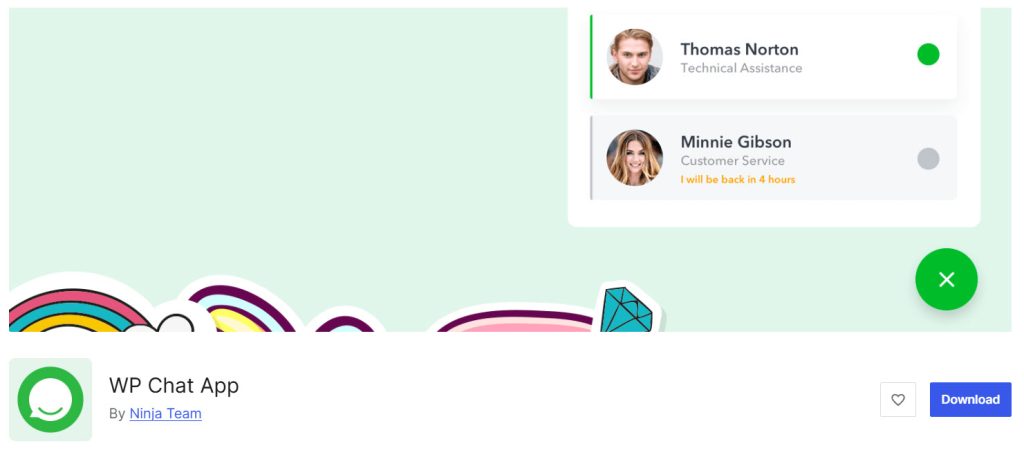
WP Chat App is a WhatsApp plugin for WordPress that lets you add a floating chat widget and click-to-chat button so visitors can send WhatsApp messages without leaving your site. It supports multiple chat agents, pre-filled messages, shortcodes, and a WooCommerce button on product pages.
The free version covers the core chat plugin features so you can test before upgrading, while the Pro version adds working hours and analytics.
This WordPress chat plugin works with cache plugins and WPML, making it a practical option for simple WhatsApp integration on your WordPress website.
Features
- Floating WhatsApp chat widget and chat button
- Multiple agents with names and titles
- Pre-filled messages and shortcodes
- WooCommerce product page button
- Custom colors and greetings
- Working hours and availability
- Google Analytics and Facebook Pixel tracking
- GDPR consent option
Pros and Cons
| Pros | Cons |
|---|---|
| Easy setup with floating chat widget and shortcodes | Advanced features like working hours require Pro |
| Supports multiple chat agents and WooCommerce | Free version limits on display and analytics options |
| Compatible with cache plugins and WPML | |
| Free version available for testing |
Pricing
WP Chat App is freemium. The free version can be downloaded from the WordPress repository. The premium version starts at $29 per year or $49 for a lifetime license.
2. Click to Chat – HoliThemes
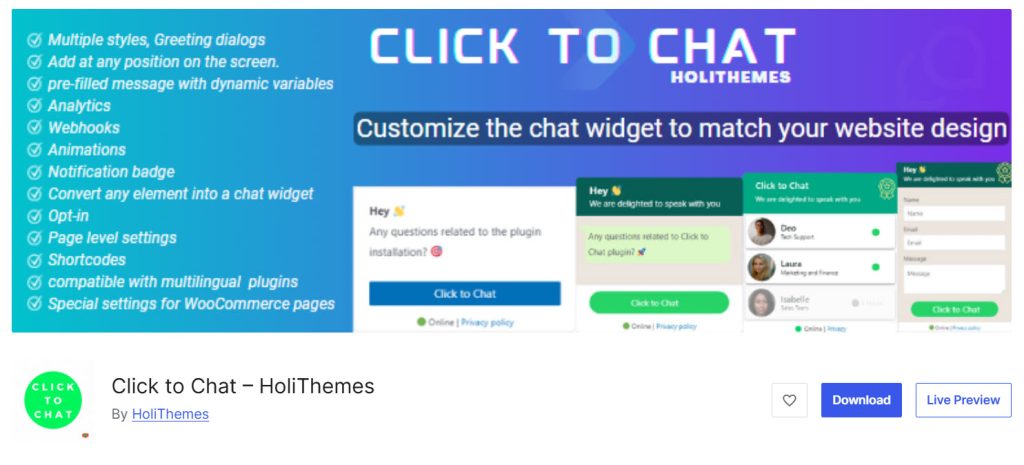
Click to Chat by HoliThemes is a WordPress plugin that lets you add a click-to-chat button or widget so visitors can message you via WhatsApp with one click. It supports multiple styles, pre-filled messages, shortcodes, greetings dialogs, and WooCommerce product page buttons.
The free version covers core chat features and analytics so you can test before upgrading, while the Pro version adds multi-agent support, forms, and business hours.
This WordPress chat plugin is lightweight and works well on both mobile and desktop, enabling simple WhatsApp integration on your WordPress website.
Features
- Multiple customizable styles and floating positions
- Pre-filled messages with dynamic variables
- Shortcodes and custom element triggers
- Greetings dialogs and notification badge
- WooCommerce product page integration
- Google Analytics and Meta Pixel tracking
- Multi-agent and business hours
- Form filling before chat
Pros and Cons
| Pros | Cons |
|---|---|
| Lightweight with strong free version features | Multi-agent and business hours require Pro |
| Flexible styles, shortcodes, and WooCommerce support | Advanced form and country targeting are Pro only |
| Analytics and webhooks available in free version | |
| Easy to customize the appearance of the WhatsApp button |
Pricing
Click to Chat – HoliThemes is freemium. The free version can be downloaded from the WordPress repository. The premium version starts at $18 per year.
3. Joinchat – Enhanced “click to chat”
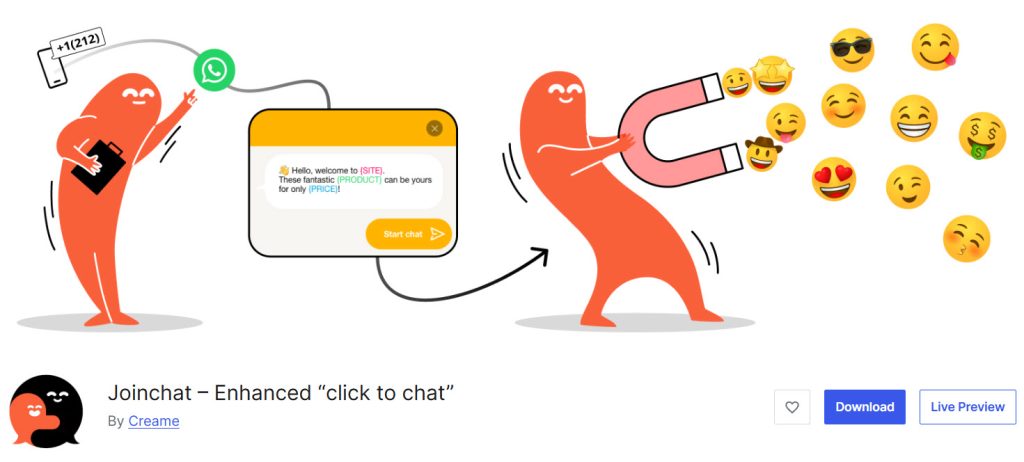
Joinchat is a popular WhatsApp plugin for WordPress that lets you add a floating chat widget and click-to-chat button so visitors can chat with your customers via WhatsApp. It supports dynamic start messages, WooCommerce product buttons, QR codes on desktop, and built-in analytics.
The free version covers core chat features and page-level settings so you can test before upgrading, while the Premium version adds multi-agent support, extra channels, and chat funnels.
This chat plugin for your WordPress site is lightweight and works well for simple WhatsApp integration.
Features
- Floating WhatsApp button with QR code on desktop
- Dynamic start messages and CTAs
- WooCommerce product page integration
- Built-in analytics and click counter
- Page and product level settings
- Opt-in text and notification balloon
- Multi-agent schedules and extra channels
- Chat funnels and country targeting
Pros and Cons
| Pros | Cons |
|---|---|
| Strong free version with WooCommerce and analytics | Multi-agent and chat funnels require Premium |
| Lightweight and works well on mobile and desktop | Higher starting price than some basic plugins |
| Dynamic variables and page-level customization | |
| Popular with high active installs |
Pricing
Joinchat is freemium. The free version can be downloaded from the WordPress repository. The premium version starts at €96 per year.
4. Social Chat – Click To Chat App Button
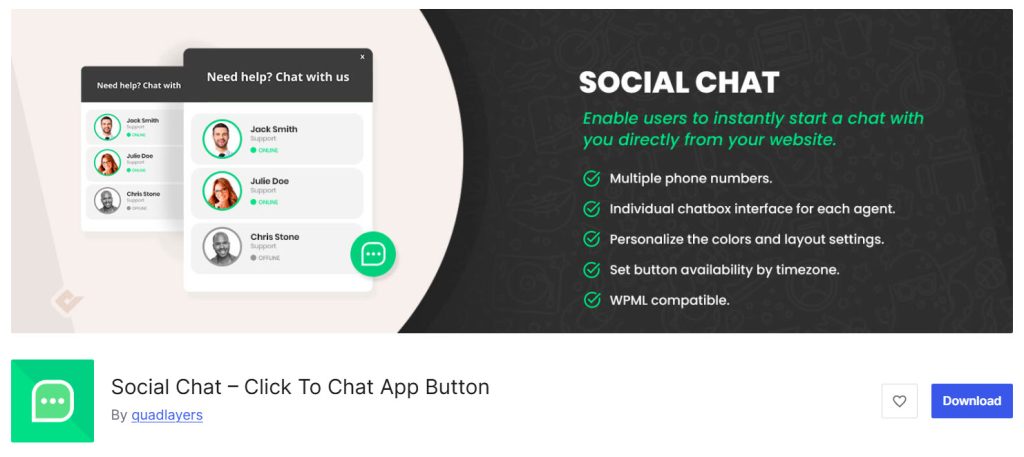
Social Chat by QuadLayers is a WhatsApp plugin for WordPress that lets you add a click-to-chat button and contact box so visitors can message you via WhatsApp with one click. It supports pre-filled messages, dynamic variables, shortcodes, and WooCommerce product and archive buttons.
The free version covers core chat features so you can test before upgrading, while the Pro version adds multiple agents, business hours, and a WhatsApp payment gateway.
This WordPress chat plugin is simple to set up and works well for stores that want WhatsApp integration on their WordPress website.
Features
- WhatsApp button and contact box
- Pre-filled messages and dynamic variables
- Shortcodes for pages and posts
- WooCommerce product and archive page buttons
- Custom colors and button layouts
- Multiple agents and chatbox
- Business hours and analytics
- WhatsApp payment gateway
Pros and Cons
| Pros | Cons |
|---|---|
| Easy setup with button, box, and shortcodes | Multi-agent and business hours require Pro |
| Strong WooCommerce support including archives | Advanced features like payment gateway are Pro only |
| Dynamic variables for product pages | |
| Free version available for testing |
Pricing
Social Chat is freemium. The free version can be downloaded from the WordPress repository. The premium version starts at $49 per year.
5. Cresta Help Chat
Cresta Help Chat is a simple WhatsApp plugin for WordPress that lets you add a floating chat widget and click-to-chat button so visitors can message you via WhatsApp with one click. It supports shortcodes for posts and pages, page-level visibility controls, and works on both mobile and desktop.
The free version covers the core chat button so you can test before upgrading, while the Pro version adds color options, tooltips, animations, and a WhatsApp widget.
This lightweight WordPress chat plugin is compatible with WooCommerce and enables basic WhatsApp integration on your WordPress website.
Features
- Floating WhatsApp chat button
- Shortcode for posts and pages
- Page and post visibility controls
- Mobile and desktop support
- Compatible with WooCommerce and WPML
- Custom colors and position
- Tooltip and animations
- WhatsApp widget
Pros and Cons
| Pros | Cons |
|---|---|
| Simple setup with floating button and shortcode | Limited customization in the free version |
| Compatible with WooCommerce and WPML | Advanced styling and widgets require Pro |
| Lightweight and easy to use | |
| Low starting price for Pro |
Pricing
Cresta Help Chat is freemium. The free version can be downloaded from the WordPress repository. The premium version starts at €12.99 per year.
6. Chatway Live Chat
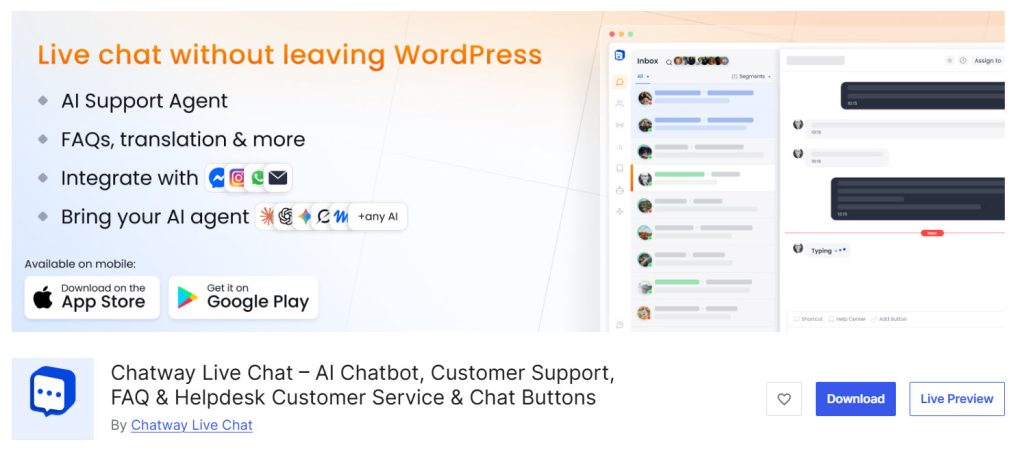
Chatway Live Chat is a live chat and AI chatbot plugin for WordPress that also supports WhatsApp chat buttons and full WhatsApp Business integration. It lets you chat with visitors in real time, add FAQs, and manage conversations from one inbox while connecting WhatsApp, Messenger, and other channels.
The free version covers basic live chat and WhatsApp buttons so you can test before upgrading, while the paid plan unlocks a full WhatsApp Business inbox, WooCommerce data, and team seats.
This chat solution for WordPress works well for stores that want both live chat and WhatsApp integration on their WordPress website.
Features
- Live chat widget and AI chatbot
- WhatsApp chat buttons and full WhatsApp Business inbox
- FAQ and help center support
- WooCommerce order and cart data
- Multi-agent team collaboration
- Mobile apps for iOS and Android
- Customizable widget and greetings
- Automations and analytics
Pros and Cons
| Pros | Cons |
|---|---|
| Combines live chat, AI, and WhatsApp in one tool | Full WhatsApp Business inbox requires paid plan |
| Free version available with basic chat buttons | Monthly conversation limits on paid plans |
| Strong WooCommerce data access on paid plans | |
| Mobile apps for managing chats |
Pricing
Chatway Live Chat is freemium. The free version can be downloaded from the WordPress repository. Full WhatsApp Business integration starts at $31 per month on the yearly plan.
7. Simple Chat Button
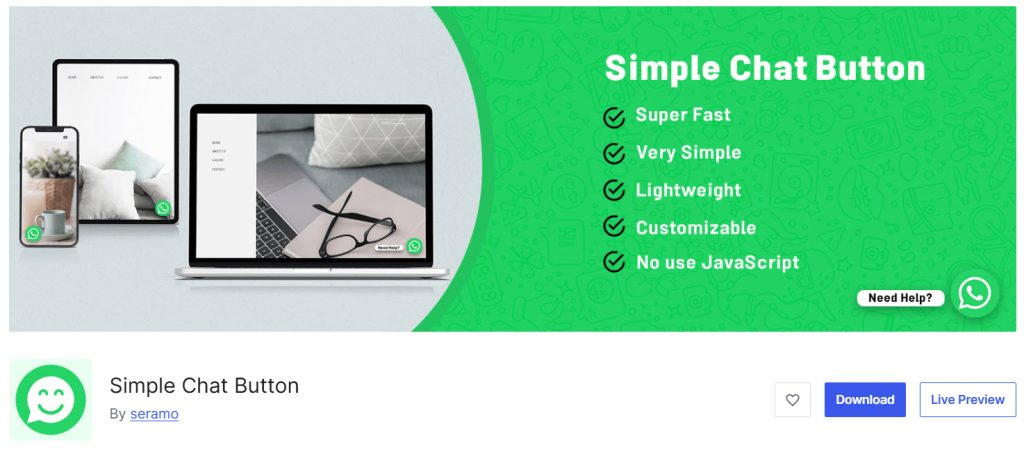
Simple Chat Button is a free WhatsApp plugin for WordPress that adds a lightweight sticky chat button so visitors can message you via WhatsApp with one click. It supports a pre-filled message, different positions for mobile and desktop, and basic visibility controls.
The plugin uses no JavaScript and is designed to stay fast without affecting site speed. This simple chat plugin for WordPress is a good option when you only need a basic WhatsApp chat button on your WordPress website and do not want extra features.
Features
- Sticky WhatsApp chat button
- Pre-filled message
- Position options for mobile, tablet, and desktop
- Page-level hide option
- No JavaScript for better speed
- Compatible with WPML
- Lightweight and simple setup
- Free with no paid upgrades
Pros and Cons
| Pros | Cons |
|---|---|
| Extremely lightweight and fast | Very limited customization options |
| Simple setup with no coding needed | No multi-agent, analytics, or advanced features |
| Free with no premium version required | |
| Does not affect site speed |
Pricing
Simple Chat Button is free. The free version can be downloaded from the WordPress repository. There is no premium version.
Common Mistakes to Avoid While Selecting a WhatsApp Chat Plugin
Choosing the wrong WhatsApp plugin for WordPress can result in a chat button that looks out of place or fails to connect visitors effectively.
Taking a few minutes to check key details helps you find the best option for your site.
- Ignoring mobile display is a common mistake. Many visitors will tap the WhatsApp chat button on their phones, so the plugin should open the app cleanly and remain visible without obscuring important content on your WordPress website.
- Picking a plugin only because it is free can limit you later. A free version is useful for testing, but check if the paid plan adds the features you actually need, such as multiple agents or WooCommerce support.
- Forgetting to integrate with WooCommerce causes problems for stores. If you sell products, the chat plugin should work on product pages and let you add a WhatsApp button without breaking the layout.
- Overlooking customization options makes the button look generic. You should be able to change the color, position, and welcome message so the floating chat widget matches your site design.
- Not checking for support for multiple numbers can create issues for teams. If more than one person handles messages, the plugin should let you add multiple WhatsApp numbers or agents, rather than routing everything to a single account.
- Skipping a test before installing is risky. Install the free version first, place the chat button, and send a test message to see how it works on both desktop and mobile before committing.
Frequently Asked Questions
Now, let’s take a look at some frequently asked questions and answers on this topic.
What is the best WhatsApp plugin for WordPress in 2026?
The best WhatsApp plugin for WordPress depends on whether you need a simple button or full multi-agent support. Most sites start with a freemium option that includes a free version so you can test before upgrading.
How do I add a WhatsApp chat button to my WordPress site?
You can add a WhatsApp chat button by installing a WhatsApp plugin for WordPress and entering your number in the settings. Most plugins then display a floating button that opens WhatsApp with a pre-filled message.
Are there good free WordPress chat plugins for WhatsApp?
Yes, several free WordPress chat plugins let you add a basic WhatsApp button without paying. These are useful for testing, though advanced features like multiple agents usually require a paid plan.
Can I use a WhatsApp plugin with WooCommerce?
Yes, many WordPress plugins in 2026 support WooCommerce and let you add a WhatsApp button to product pages. This helps visitors ask about products without leaving the site.
What should I look for when I choose the best WhatsApp plugin?
Look for mobile support, customization options, and a free version when you choose the best WhatsApp plugin. Also check if it works with your theme and does not slow down your WordPress website.
How do WhatsApp plugins for WordPress handle multiple agents?
Some WhatsApp plugins for WordPress let you add multiple numbers or agents so different team members can handle chats. This is useful for larger teams that need to route messages by department.
Do I need live chat software or just a WhatsApp button?
A simple WhatsApp button is enough for most small sites that only want a click-to-chat feature. Live chat software becomes useful when you also want an inbox, AI replies, or multiple channels in one place.
Can I customize the appearance of the WhatsApp button?
Yes, most chat widget plugins let you change the color, position, and welcome message. This helps the button match your WordPress site’s design rather than look like a generic add-on.
Is it safe to add WhatsApp to a WordPress blog?
Yes, adding a WhatsApp button to a WordPress blog is safe when you use a reputable plugin. The conversation happens on WhatsApp, so your site does not store the chat content.
How do I find the best free WhatsApp plugin for my site?
Start by testing free versions of popular plugins to find the best free option. Check how the button looks on mobile and whether it supports the features you need before deciding to upgrade.
Conclusion
WP Chat App stands out as the best overall WhatsApp chat plugin for most WordPress sites. It offers a clean floating widget, multiple agents, shortcodes, and solid WooCommerce support in a freemium package that is easy to set up and test.
The lifetime option also makes it cost-effective for long-term use.
Click to Chat by HoliThemes is a strong, lightweight choice if you want flexible styles and analytics in the free version. Joinchat works well for high-traffic sites that need dynamic messages and QR codes.
Social Chat is useful for stores that rely on WooCommerce archive buttons and multi-agent routing. Cresta Help Chat fits simple button needs at a low price, while Chatway Live Chat suits teams that want full live chat and WhatsApp Business inbox in one tool.
Simple Chat Button is ideal when you only need a fast, no-frills sticky button.
Let us know which plugin you choose in the comments.

Leave a Reply